Showing posts with label Assignment. Show all posts

Tuesday, January 19, 2010

Project 2 - Electric Boogaloo er, I Mean, Create a SET!!!


Image from Alex Munn's El Pueblo

For your second project, you'll be researching, designing, modeling, texturing, and lighting an environment. It could be a game level, an animation set, or something you might use as part of a painting or composite photograph. Madness. Mayhem. Here's what you'll do.

Phase 1: Pre-Production Junction

1. Write a description about your place. Where is it? What year? What does it look like, smell like? What are the colors there? What emotions does the place invoke? Let your imagination run wild. Wild, I tell you.

2. Do lots and lots of visual research on your place. Architecture, flora, fauna. Mood. Look for images of interesting lighting schemes that fit your vision. And always, always. . . textures. Blog this stuff, baby. Taking your own photos is very helpful too.

3. Draw and/or collage. Lay out some concepts that will help you build your world. Blog 'em.

4. We'll take a look at all this goodness on Thursday, January 28. Git bizy.

Phase 2: Make the Magic Happen
1. Block out your set. Before you do any fancy modeling, or at least as you're doing your fancy modeling, lay out a primitive block version of your set using the techniques you learned in Project 1.

2. Model and texture specific pieces. When you finish a specific model you can swap it with its stand-in block. This way, you'll be working from the general to the specific with an eye towards your entire scene.

3. We'll cover lighting, camera, and texturing as we go. starting with UV mapping this Thursday.

4. Due date for all of this funny business is Tuesday, February 16.

Make sure you check out your hero artists to inspire you to new heights of lunacy. Blog about 'em.

Here are a few more images from Alex Munn's El Pueblo. Go to his site and bask in the brilliance.


Thursday, January 7, 2010

Assignment 1 - Blockville and Demo Videos


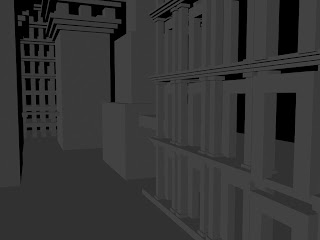
Block out! Create a city made only of blocks and other primitives.
1. Find some source material and post it to your blog! Hey, like this. Here's some Harry Potter crud, and a few concepts by "Hipper" I found at conceptart.org.


2. Focus on scale contrast and composition to help create a sense of size and distance.  To help you along, consider some Frenchy-style "repoussoir." Dig this brilliant shot from Fritz Lang's Metropolis (1927).


And you've always got to git wit' Piranesi whose Carceri (Prisons) done in 1745-50 have been a big influence on just about everybody designing big, fantastical bidnit.


Post your daily progress as you go and we'll have a final critique on Tuesday, January 19.

UPDATE VIDEOS:
1. Here is a 10 minute video to get you started with Blockville!

Tuesday, January 20, 2009

Environment Design

Self-portrait as Tourgot, Level 56 Undead Rogue

1. We'll critique your block cities and writing and look at your source research.
2. Check out this job offer at Blizzard for a 3D environment artist and we'll discuss it.
3. We'll discuss lighting design and camera composition.
4. We'll introduce ourselves to the material editor.
5. A bit of architectural modeling

Thursday
1. UV editor and creating materials in Photoshop.
2. More on lighting including environments and skies.

Thursday, January 15, 2009

Assignment 2 - More Blox

1. Write a description of your block set to accompany your images. What is it? Where is it? Who are the inhabitants? What's the story behind it, etc.

2. In a new post, describe a new place that you will build. Describe the feeling it invokes, the colors, its history, what you see in the scene, time of day, lighting, etc.

3. In a new post, start posting images that will help you in building this place. Post at least 10 images by Tuesday.

4. Start blocking in the set using the almighty block method.

We'll look at your results on Tuesday, January 20

Tuesday, January 13, 2009

Assignment 1: BlockTown


Block out! Create a city made only of blocks and other primitives. You can extrude if you must, but keep the detail simple. This exercise is more about layout and composition than about modeling details.

Post some screen caps and a render of your city by Thursday, January 15. The goal of this assignment is to make something that "looks cool," as we say in the academic community.

Thursday, January 8, 2009

3D Bloggin' Homework


1. Post a render or two.
2. Track down some nice examples of clean wire meshes. Post 'em! Here's an example of a really elegant mesh by John Doublestein. Check out his excellent work at John Doublestein.com. He has a very nice technical director portfolio as well. Go to his site and click through to his flatbook.
3. Find a polygon modeling tutorial or two. Post.
4. Download the Maya PLE and practice all the stuff we worked on this week
5. Add your classmates' blogs to your blog in a sidebar gadget.